Read any METAR in plain English, right down to the remarks.

Stop decoding weather reports one group at a time with a legend open in another tab. Type any airport code and the free METAR & TAF Decoder pulls the latest report, explains every group and draws the clouds over the field.

Continue straight to the decoder in your browser, with nothing to install.

Made by the flight instructors at Pilot Institute.

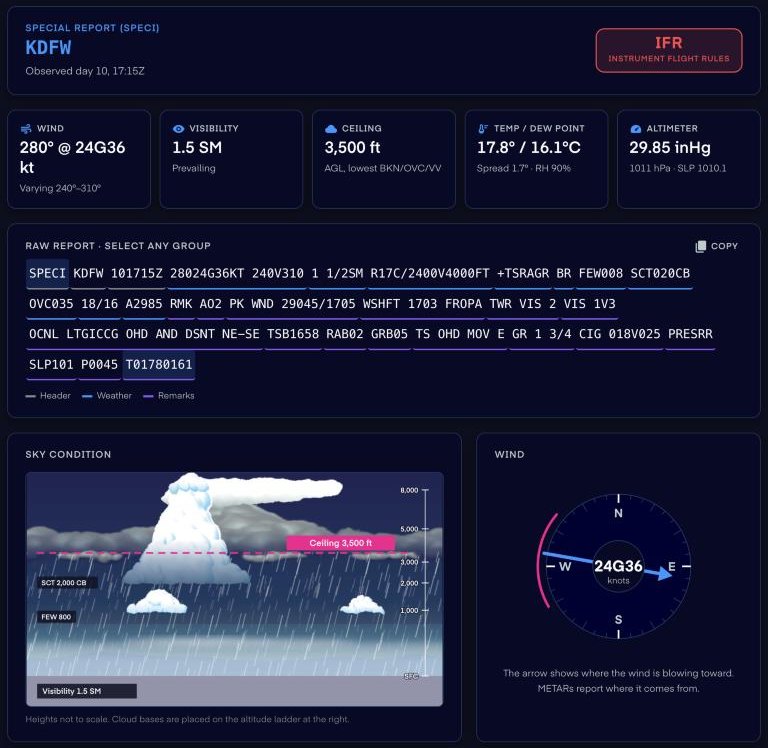
The METAR and TAF Decoder showing a thunderstorm report from Dallas Fort Worth, with the IFR flight category, wind, visibility, ceiling, the raw report and a drawing of the clouds and the wind.

The parts of a METAR that trip people up, now in plain English.

A one minute tour shows you around the first time you open it. After that, click any part of a report to see what it means, instead of hunting through a legend.

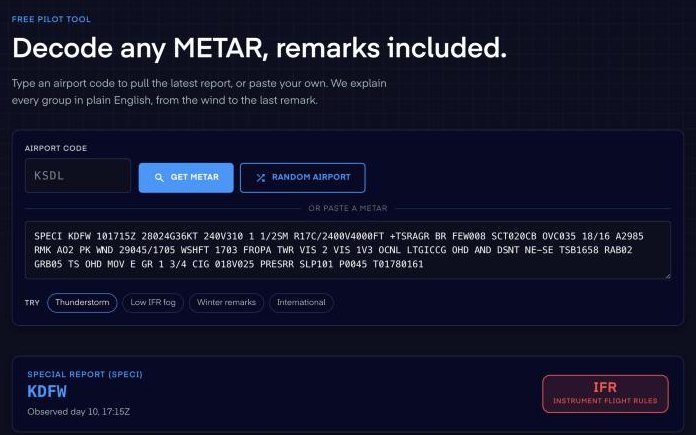
The decoder's airport code search with Get METAR and Random Airport buttons, a pasted thunderstorm report and example reports to try.
Live Reports

Pull the latest report for any airport.

Textbook examples are tidy, and real reports rarely are. Type KSDL or just SDL and we pull the current METAR from aviationweather.gov, with how old it is and the field elevation. Hit Random Airport to practice somewhere new, or paste in any report you’re studying.

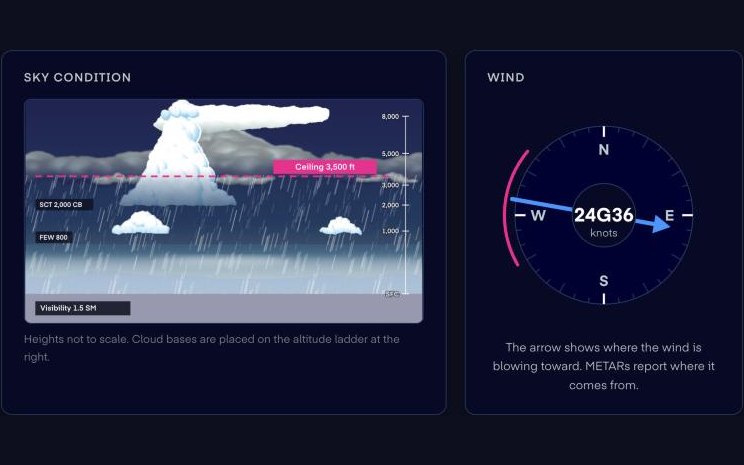
A drawing of a thunderstorm over the airport with each cloud layer on an altitude ladder, the ceiling marked at 3,500 feet, and a compass dial showing wind from 280 degrees at 24 knots gusting 36.
Sky Condition

See the clouds stack up over the field.

SCT020CB OVC035 is hard to picture as a line of text. The decoder draws every cloud layer on an altitude ladder and marks the ceiling and the visibility. Then it puts the wind on a compass dial, with the gusts and any variable range.

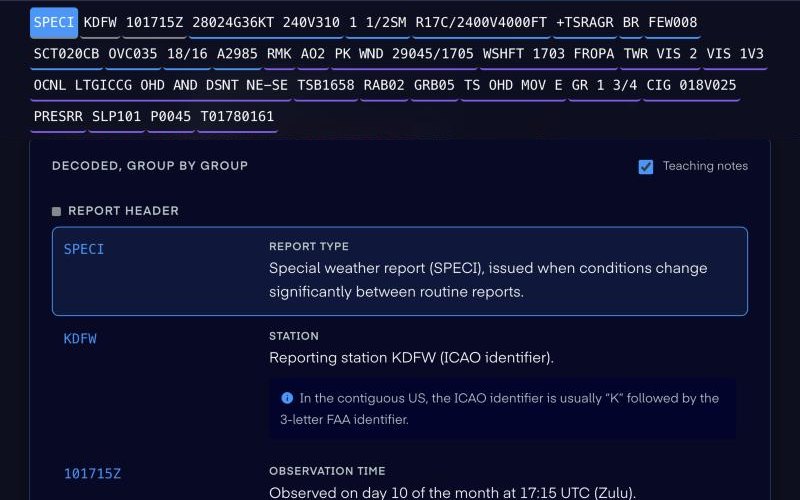
The raw report pinned at the top with one group highlighted, above plain-English explanations of each group and a teaching note.
Group by Group

Every group in plain English, remarks included.

The remarks are where most people give up, even though that’s where details like peak wind, lightning and the exact temperature live. Click any group to jump to its explanation, and turn on teaching notes for the why behind it.

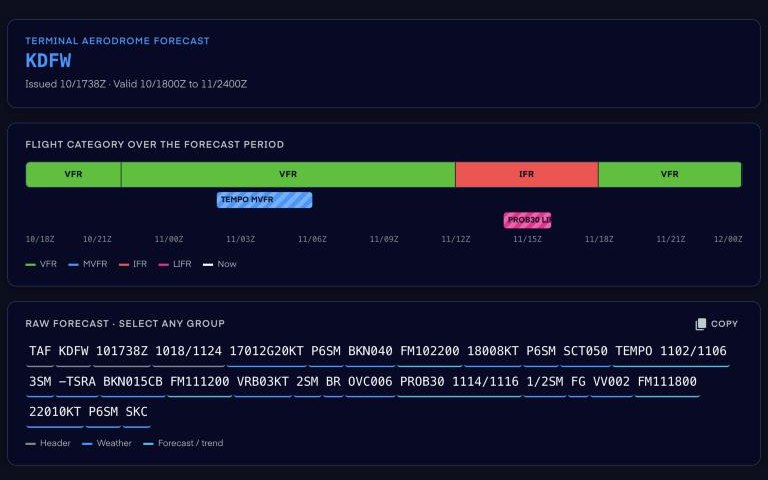
A TAF for Dallas Fort Worth with the flight category laid out on a timeline across the forecast period, including a TEMPO and a PROB30 group.
TAF Decoder

Read a forecast one period at a time.

A TAF packs a day of weather into one long string. The decoder splits it into time periods and explains every FM, TEMPO, BECMG and PROB group. A timeline shows the flight category across the whole forecast, so you can see when it goes IFR.

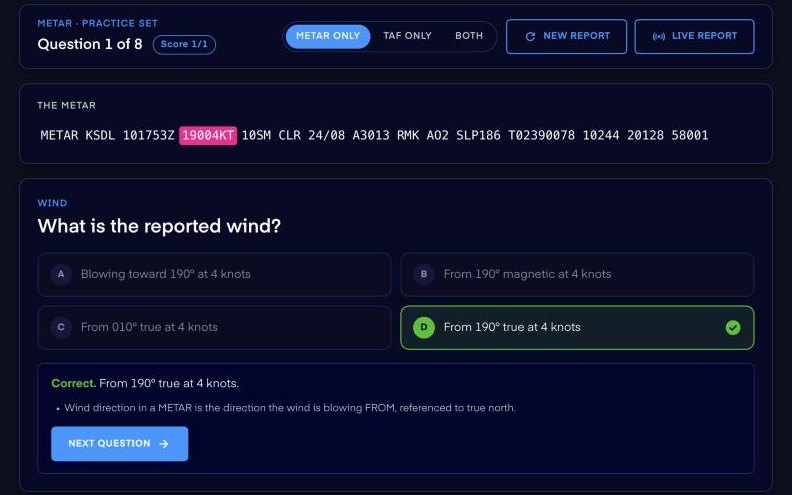
A quiz question asking for the reported wind in a real METAR, with the correct answer marked and the explanation below it.
Practice Quiz

Find out if you can read it on your own.

Recognizing a group is easier than reading a report cold. Pick METARs, TAFs or both, and the quiz shows you a real report and asks about its parts, from the wind to the remarks. Every answer comes with the explanation, right or wrong.

Try it on your home airport.

No trial, no paywall, nothing to install.

Decode a METAR Free

Built for student pilots, drone pilots and the instructors who teach them.

Student Pilots

Get comfortable with METARs and TAFs before you see them on the knowledge test, on your checkride and in every preflight briefing.

Drone Pilots

Reading METARs and TAFs is on the Part 107 test. Practice on real reports until the codes stop slowing you down.

Flight Instructors

Pull up the live report for your field during ground lessons and click through it together, then point your student to the quiz for homework. It’s free for both of you.

Get the decoder free and try it on today’s weather.

The METAR decoder, the TAF decoder and the quiz all live in one place, so you can switch between them any time.

Continue straight to the decoder in your browser, with nothing to install.

Straight answers before you try it.

Is it really free?

Yes. The METAR decoder, the TAF decoder and the quiz are all free, with no trial and no paywall.

Where do the reports come from?

When you type an airport code, the decoder pulls the latest report from aviationweather.gov. You can also paste in any METAR or TAF yourself, like one from a practice test.

Do I need to know anything about weather first?

No. Every group comes with a plain-English explanation, and a one minute tour shows you around the first time you open it.

Does it work for airports outside the US?

Yes. It reads international reports too, including visibility in meters, pressure in hectopascals, CAVOK and trend forecasts like NOSIG and TEMPO.

What if my airport doesn’t have a TAF?

Only some airports issue one. If yours doesn’t, the decoder tells you, and you can pull the forecast for a nearby airport instead.

Why do you ask for my email?

Your email is used in accordance with our Privacy Policy. You can unsubscribe at any time.

Can I use it to check the weather before a flight?

No. It’s a training tool, so the decoding can be incomplete and live reports can be delayed or missing. Before every flight, get an official weather briefing and read the current reports from an approved source.

Can I use it with my flight instructor?

Yes, and it’s free for them too. Pull up the same report and talk it through before you go fly.

The easiest way to learn METARs and TAFs is free.

Live reports for any airport, every group in plain English and a quiz on real weather. No account, no paywall, nothing to install.

Decode a METAR Free